In 2025, researchers identified 11,334 new vulnerabilities across the WordPress ecosystem, a 42% increase from 2024. Of those, 4,124 were serious enough to require rapid mitigation, while 1,966 were rated high severity and likely to be exploited in automated mass-scale attacks (Patchstack's 2026 WordPress security whitepaper). That volume changes the operating model. WordPress security isn't a single-site checklist anymore. It's a portfolio triage problem, where the team that ranks exposure correctly fixes more risk than the team that updates everything in order.
Table of Contents
- Why WordPress Security Is Now a Portfolio Triage Problem
- The 2025 Vulnerability Surge and What It Means
- Inside the wp2shell Core RCE and Forced Updates
- Why Being Current Does Not Mean Being Safe
- How a Risk Score Actually Works
- CVE Counting Versus Exploit-Weighted Ranking
- A Daily Triage Workflow for Multi-Site Operators
- Your 7-Day Action Plan and Final Recommendations
Why WordPress Security Is Now a Portfolio Triage Problem
A mid-sized agency might manage dozens of sites with different themes, plugin stacks, hosting environments, owners, and maintenance windows. When a serious flaw affects a shared form builder, commerce extension, or authentication component, the response queue expands immediately. The agency isn't dealing with one vulnerability on one installation. It's identifying every affected site, measuring business exposure, assigning owners, applying fixes, and verifying production results.
That distinction matters because uniform update policies hide uneven risk. A brochure site with a low-impact plugin issue shouldn't necessarily outrank a checkout site with an exploitable component, even if both sites report an update available. Your team needs a ranked queue, not a dashboard full of red badges.
Rank impact before age
Start with four questions for every affected site:
- What can an attacker do? Remote code execution, account takeover, SQL injection, and authentication bypass deserve immediate attention.
- Is exploitation practical? Public proof of concept, observed attacks, or mass scanning should move an issue upward.
- What does the site support? Commerce, membership, lead capture, and customer data raise operational impact.
- How quickly can you verify remediation? A patch without post-update validation is an assumption, not a completed fix.
A useful WordPress security solution for triage should help the team compare sites and expose the next action, rather than merely report that every site has something to review. For teams testing application behavior safely, secure app testing with GoReplay can add traffic-replay context to broader validation work, especially when a patch could affect forms, authentication, or critical workflows.
Operational rule: A site's position in the queue should reflect attack potential and business impact, not the number of notifications in its inbox.
The practical workflow is simple. Build an inventory, attach vulnerabilities to affected software, score the resulting exposure, patch the highest-impact cases, and confirm the result. Some sites will be updated before others by design. That isn't neglect. It's controlled prioritization.
The 2025 Vulnerability Surge and What It Means
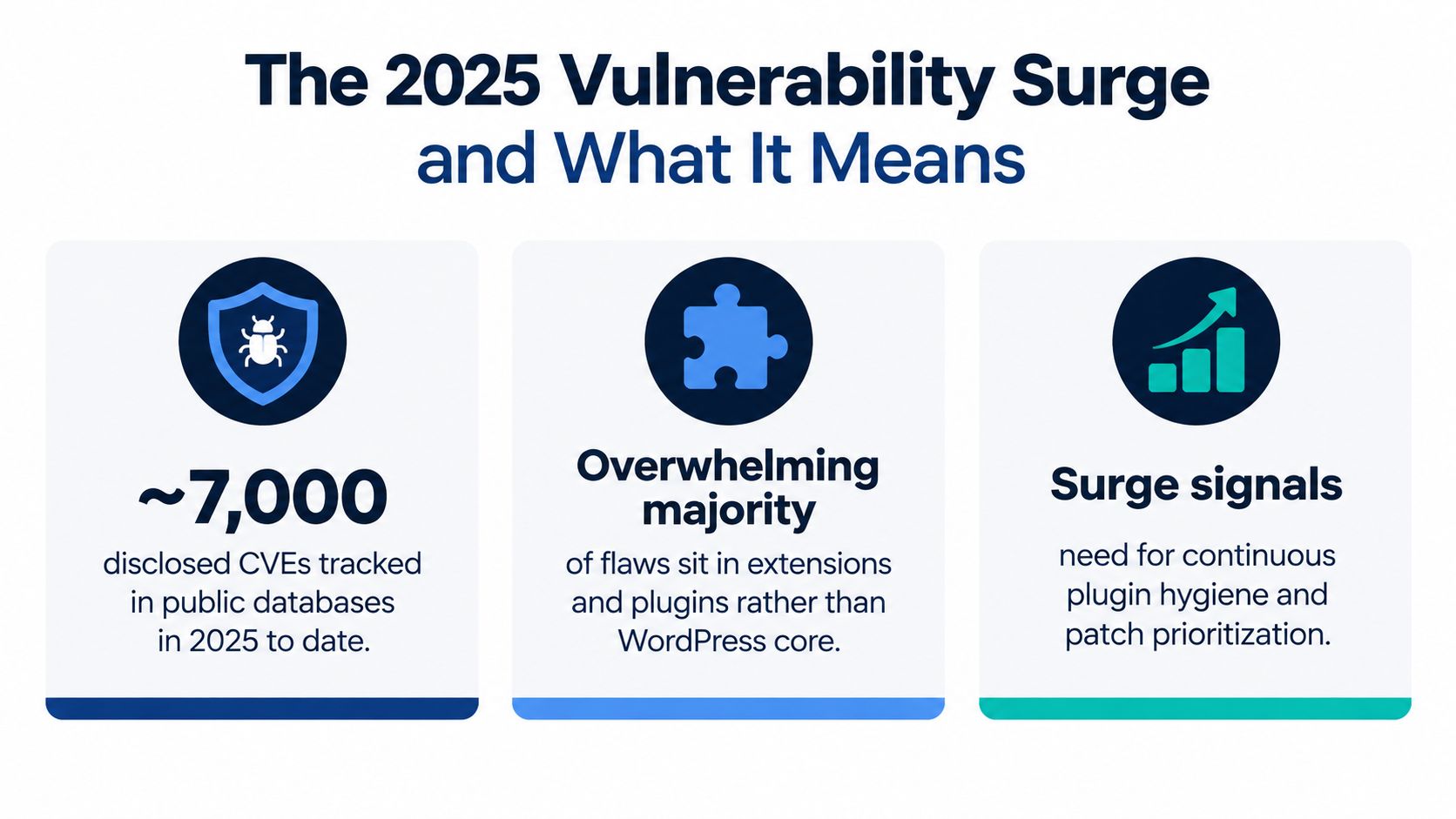
The latest WordPress security issues create a portfolio triage problem because the volume is high and the exposure is concentrated in third-party code. Patchstack's 2025 mid-year vulnerability report recorded 6,700 new WordPress ecosystem vulnerabilities in six months, with 41% considered exploitable in real-life attacks. Those figures require an agency to rank shared exposure, not process alerts in publication order.
The annual view sharpens the priority. The 2025 total reached 11,334 newly identified vulnerabilities. Plugins accounted for 91% of new vulnerabilities, themes for 6%, and WordPress core for only a small fraction, according to the same Patchstack reporting. A separate ecosystem summary presents the distribution as 91% in plugins and 9% in themes, reinforcing the operational conclusion that add-ons carry most of the exposure (Zero To WP's 2026 WordPress security report).
Why core-only maintenance fails
Core update automation still matters, but it covers only one layer of portfolio risk. A core-only review can miss vulnerable plugins, abandoned extensions, and themes left installed after a client stops using them.
Build an inventory of the software present on every site, not only each WordPress version. Record affected components, patch availability, exploitability, and how widely each extension appears across client sites. A shared plugin can turn one disclosure into a portfolio-wide queue.
Use a CVE vulnerability list to match disclosures against that inventory, then rank the results by exposure and business impact. Manual review does not scale when an operator must open every site, inspect every plugin, read every advisory, and set priority from scratch. Structured matching gives the team a consistent basis for deciding what gets patched first.
Teams should avoid DIY security tools that split findings across disconnected alerts without improving work order. The response to a large vulnerability stream is continuous plugin hygiene, exploit-weighted ranking, and a repeatable verification loop. That operating model turns a long disclosure list into a controlled queue, with shared components and practical exploit paths receiving attention before low-impact findings.
Inside the wp2shell Core RCE and Forced Updates
The 2026 wp2shell incident demonstrates why patch latency and version lineage belong in every agency runbook. WordPress shipped emergency 6.9.5 and 7.0.2 releases with forced automatic updates to address a pre-authentication remote code execution issue tracked as wp2shell (Government of Canada cyber security advisory).
That response is the operational signal. Forced updates mean maintainers judged ordinary update timing too slow for the exposure. They also reveal a common portfolio weakness: sites don't all follow the same release path. Some run older branches, some have automatic updates disabled, and some use hosting or deployment processes that delay remediation.
Treat version lineage as evidence
The affected-site question isn't, “Is WordPress current?” It's, “Which branch is this site running, and has that branch received the relevant fix?” A site can appear recently updated while remaining exposed to a vulnerability bounded to its release lineage.
The incident also shows why core risk can't be dismissed as theoretical. The advisory describes a path that allowed unauthenticated attackers to reach code execution through WordPress core behavior rather than through a plugin edge case. That can override the usual assumption that a tightly controlled plugin stack is enough to contain risk.
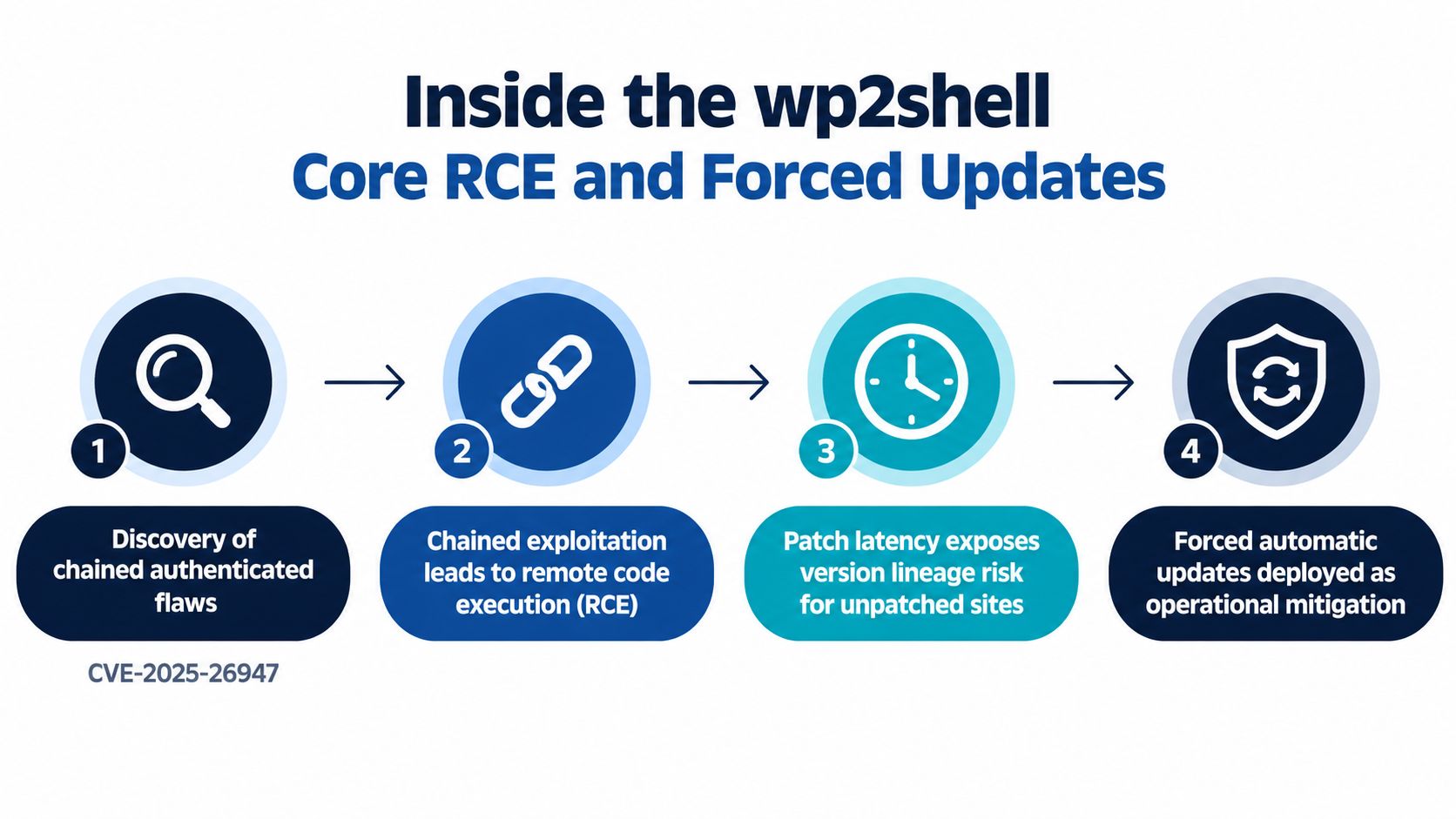
A useful incident response sequence is:
- Identify every affected branch across the portfolio.
- Confirm update eligibility and whether automatic updates completed.
- Patch internet-facing sites first, especially commerce and authenticated applications.
- Validate the installed version in production, not only in a deployment tool.
- Review logs and site integrity where exploitation is possible.
For a deeper operational framing, use this WordPress exploit window and update order guide when defining escalation rules. The central lesson is straightforward. Emergency releases are a reminder that patch latency is measurable exposure, and version drift turns a single advisory into a multi-site coordination problem.
Why Being Current Does Not Mean Being Safe
"Updated" is a status, not a security verdict. WordPress core, plugins, themes, PHP, hosting controls, and access policies change on different schedules. A site can run a recent core release while an exposed plugin remains installed, active, or incompatible with the remediation plan.
The July 2026 disclosures make that distinction concrete. A REST API batch-route confusion issue and a SQL injection flaw were disclosed together, and the two flaws could be chained into a full takeover. The affected ranges included WordPress 6.8.0 through 6.8.5, 6.9.0 through 6.9.4, and 7.0.0 through 7.0.1 (Help Net Security's coverage of the chained core vulnerabilities).
Currency is only one signal
A mature review checks more than the version label:
- Component coverage: Are plugins and themes included, or is the report core-only?
- Exploit context: Is there public exploit code, observed exploitation, or a credible attack path?
- Access exposure: Does the site expose REST endpoints, login surfaces, uploads, or user-generated content?
- Change validation: Did the update complete, and do authentication, forms, checkout, and integrations still work?
- Supply-chain condition: Is the extension maintained, licensed, and sourced from a trustworthy vendor?
Automatic updates reduce delay, but they don't guarantee full coverage across third-party software. Abandoned extensions and compromised vendor supply chains can remain dangerous even when WordPress core reports a healthy status. License keys and update packages also need operational scrutiny, because a trusted component can become an entry point if its distribution or maintenance process fails.
The correct posture is to treat “current” as one input in a broader score. It tells you something about patch status. It doesn't tell you whether the site is exposed through another component, whether exploitation is active, or whether the installation has business-critical consequences.
How a Risk Score Actually Works
A portfolio score should drive a decision, not decorate a report. Use inputs that operators can inspect, challenge, and apply consistently across clients. A practical model starts with exploitability, vulnerability age, component severity, and business exposure.
Give exploitability the strongest influence. Public exploit code or observed attacks should move an issue ahead of an older theoretical weakness with no practical attack path. Age still matters because delayed remediation leaves exposure in place, but it should not outrank an active remote code execution issue by itself.
Build the score from evidence
Use this operating model:
| Input | What It Captures | Typical Weight | Triggered Action |
|---|---|---|---|
| Exploitability evidence | Whether attackers can use the issue in practice | Highest | Escalate immediately when exploitation is observed or highly practical |
| Vulnerability age | How long the site has remained exposed | High | Increase priority when remediation has been delayed |
| CVE count and severity | The number and seriousness of findings in the affected component | Medium | Group related issues and assess the component's replacement risk |
| Business exposure | The site's role, data, transactions, and customer access | High | Move revenue, identity, and sensitive-data sites ahead of low-impact sites |
“Typical weight” is a starting point, not a universal formula. Document how your agency interprets each input, then apply that interpretation consistently across the portfolio. A commerce site with one exploitable plugin issue can outrank a low-traffic brochure site with several lower-impact findings because the likely consequences are greater.
Make every score produce an action
A score earns trust when it gives an operator a clear next move. Every result should include:
- A risk band: Safe, At Risk, or Critical.
- The dominant signal: Such as an exploitable plugin, outdated core branch, or missing verification.
- The top three fixes: Ranked by execution order.
- An owner and deadline: One person must be accountable for remediation.
- A validation state: Patched, pending verification, or failed.
Small teams can begin with a spreadsheet. Larger teams should use a decision engine that snapshots core, plugin, theme, and PHP versions, matches installed software against known vulnerabilities, and produces a ranked sequence. A portfolio dashboard such as WP Triage can provide daily snapshots, known-vulnerability matching, and a 0–100 risk score with the top three issues per site, according to its product description.
Keep the model visible to operators. If a site moves from At Risk to Critical, the team must see which evidence changed, which component created the increase, and which fix will lower exposure first. That audit trail turns a score into an incident-management tool rather than another status label.
CVE Counting Versus Exploit-Weighted Ranking
Raw CVE counting is easy to explain and often wrong as a prioritization method. It treats every finding as though it has the same attack path, business consequence, and urgency. That can send an agency toward a component with many low-impact disclosures while an unrelated site waits with a single exploitable remote code execution issue.
Exploit-weighted ranking asks a better question: Which exposure is most likely to produce harm, and which fix reduces that exposure fastest? Public proof-of-concept code, in-the-wild exploitation, mass-scanning behavior, authentication bypass, SQL injection, and remote code execution should all affect the queue. CISA's Known Exploited Vulnerabilities catalog and EPSS-style probability signals can support that judgment, but they should inform the decision rather than replace site context.
A simple portfolio comparison
Consider two fictional sites with different risk profiles:
| Method | Site A, 14 CVEs, no exploit | Site B, 3 CVEs, in-the-wild RCE | Recommended Fix Order |
|---|---|---|---|
| CVE counting | Appears more urgent because it has more findings | Appears less urgent because it has fewer findings | Raw counting would put Site A first |
| Exploit-weighted ranking | Lower immediate priority if attack paths remain impractical | Highest priority because exploitation is active and impact is severe | Patch Site B first |
| Operational review | Schedule remediation and investigate component hygiene | Escalate, patch, validate, and investigate for compromise | Site B receives emergency treatment |
The numbers in this example define the comparison, not a measured incident outcome. The point is the ordering logic. Three exploitable findings can matter more than fourteen non-exploited findings when one site supports authentication, customer data, or transactions.
Practical rule: Count vulnerabilities for inventory. Rank them by exploitability and consequence for response.
This approach also improves communication with clients. Instead of saying, “Your site has many CVEs,” the agency can say, “This component has an attack path that warrants immediate remediation, while these other findings are scheduled for the next maintenance window.” That's security operations. A flat list of CVEs without an order is security theater.
A Daily Triage Workflow for Multi-Site Operators
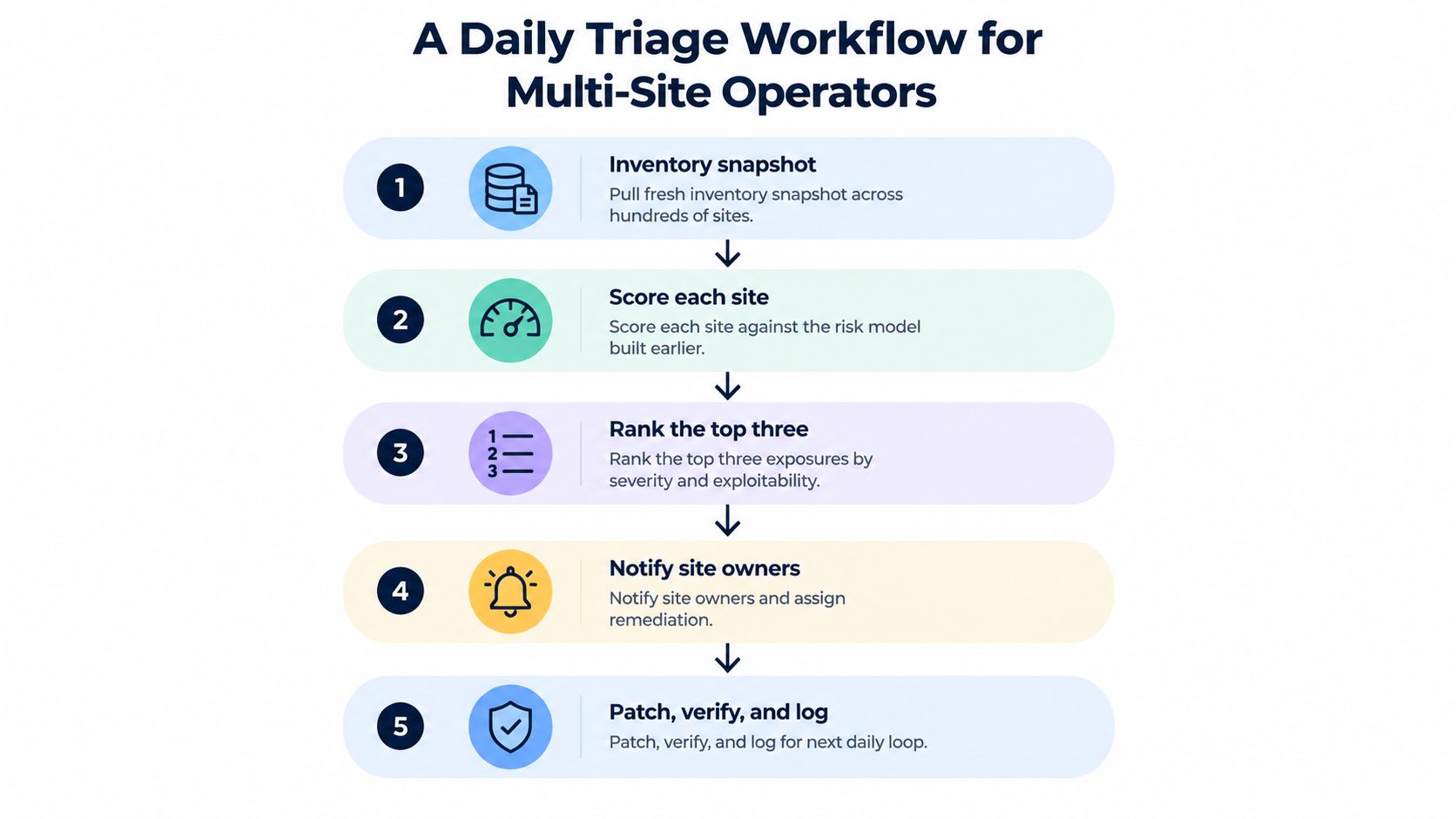
A daily loop keeps the portfolio aligned with current exposure without forcing the team into a full manual audit every morning. The loop has five stages, and each stage should produce a decision rather than another report.
Start with the inventory snapshot
Pull current core, plugin, theme, and PHP versions across every connected site. Record failed connections, missing agents, disabled update paths, and sites whose inventory is stale. A missing snapshot is itself an operational signal because the team can't make a reliable risk decision without current software data.
Score the sites against the model from the earlier section. Don't debate every score before ranking. The first pass should identify the sites most likely to require action today.
Limit the first queue
Rank the top three exposures by exploitability, severity, business role, and patch availability. Limiting the first queue prevents alert overload and gives operators a defensible starting point. If a critical issue affects many sites, group the work by component while preserving site-specific owners and validation records.
Notify the right people with precise instructions:
- Name the affected site and component: Avoid broad “please update” messages.
- State the reason for escalation: Identify exploitability, severity, or business impact.
- Specify the remediation: Patch, deactivate, replace, isolate, or investigate.
- Set the verification requirement: Confirm the production version and test critical workflows.
Patch execution belongs in the tools the team already uses. The triage system should decide order and record state, not pretend to replace deployment, backups, firewalls, or malware analysis.
Validate production, then log the result
Check the installed version after deployment, test the site's key paths, and record whether the score changed. If the score didn't improve, investigate failed updates, version conflicts, inactive-but-present components, or a separate vulnerability that still dominates the site's risk.
For a portfolio of 50 to 100 sites, a disciplined loop can fit into a 30-minute operating window when snapshots, scoring, and notifications are automated. The team spends its time on judgment calls and remediation decisions instead of opening every dashboard manually. The workflow scales because it narrows attention to the exposures that matter most today.
Your 7-Day Action Plan and Final Recommendations
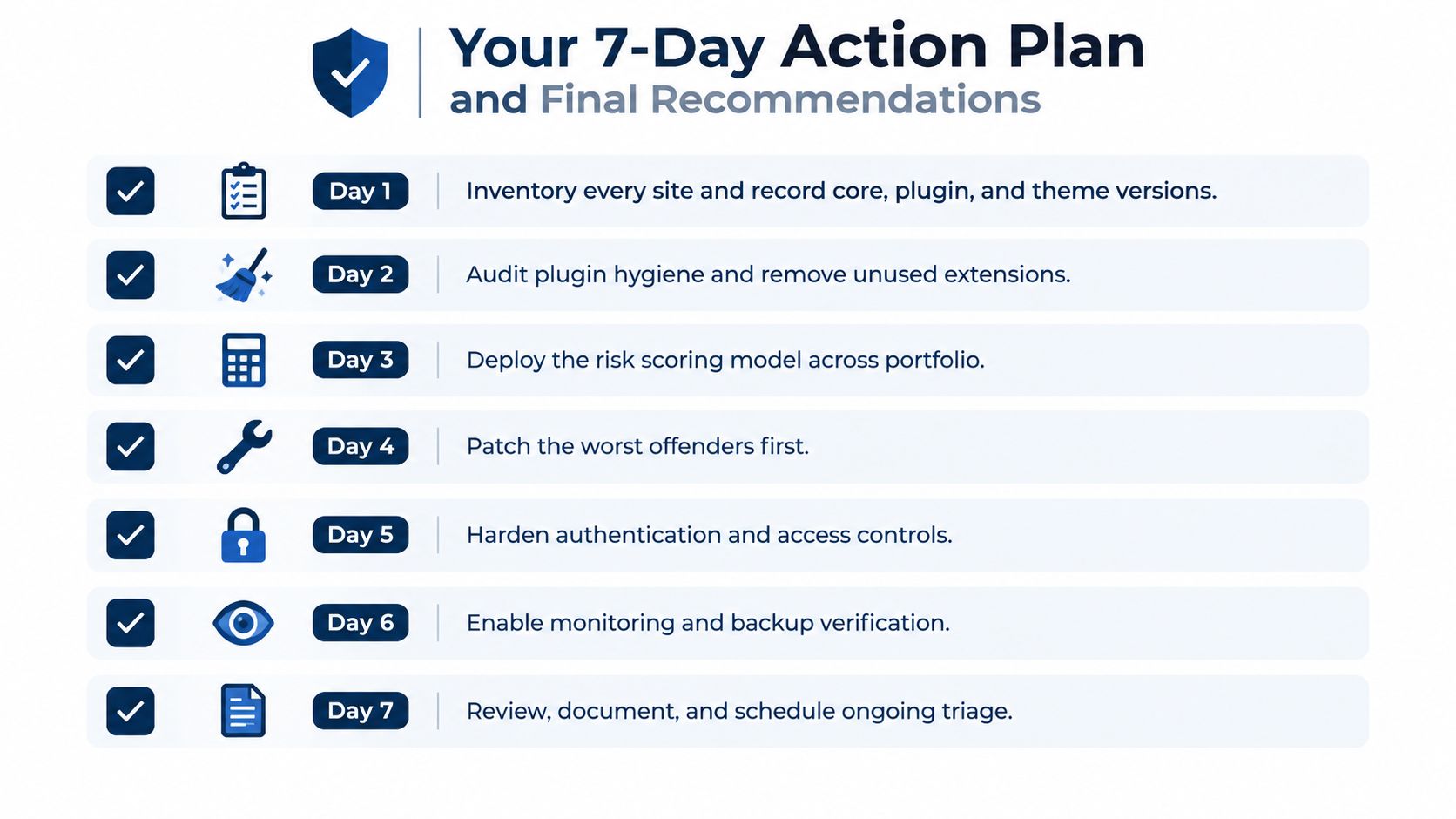
A seven-day plan turns the latest WordPress security issues into assigned work, evidence, and repeatable decisions across the portfolio. Treat each day as a deliverable, not a reminder.
Day 1 inventory every installation
Create one authoritative record for every site. Include WordPress core, plugins, themes, PHP, ownership, business role, and update method. Mark missing or stale records as unresolved exposure.
Day 2 remove plugin debt
Audit unused, abandoned, duplicated, and unlicensed extensions. Deactivate and remove components the site does not need. For unsupported extensions, document a replacement or an approved exception with an owner.
Day 3 deploy the scoring model
Score each site using exploitability, age, severity, and business exposure. Compare the results with operational judgment. A commerce site should rank above a brochure site when both have the same technical finding. If it does not, revise the weighting or exposure inputs.
Day 4 patch the worst offenders
Fix the highest-ranked exploitable findings first. Confirm the affected branch, apply the correct release, and test production behavior. Do not allow a large routine update batch to hide an urgent remediation.
Day 5 harden access
Review administrator accounts, authentication controls, privileged users, and access paths. Remove unnecessary access, then name the person responsible for emergency decisions at each site.
Day 6 verify recovery
Test backup availability and rollback procedures. A recovery path that has not been tested cannot support a fast response, so record the result and correct failures before the next maintenance cycle.
Day 7 document and schedule
Write the runbook, define escalation thresholds, assign responsibilities, and schedule recurring snapshots and reviews. Track patch latency, the time known exposure remains open, as the portfolio's most actionable security metric. Use it to judge whether the process is getting faster.
The operating recommendations are direct:
- Stop treating security as a checklist. Checklists confirm tasks. Triage sets the order.
- Invest in observability. Maintain current inventory and change history instead of relying on periodic memory-based audits.
- Measure remediation speed. Shorter patch latency reduces the period available for exploitation.
Use WP Triage to monitor WordPress core, plugins, themes, and PHP across the portfolio, match installed components with known vulnerabilities, and rank the top fixes for each site. Connect the installations, review the highest-risk queue, and make maintenance decisions from current evidence.