Monday morning starts with a familiar ritual. Before you've opened your project board, your inbox has already collected plugin update notices, security scanner findings, backup confirmations, uptime warnings, performance reports, and messages from clients asking whether a brief outage was serious. None of the tools is necessarily broken. The problem is that every tool expects your attention at the same time.
That condition has a name: alarm fatigue. It describes what happens when repeated alerts, especially alerts that are false, low priority, or non-actionable, train people to stop treating each notification as meaningful. The concept comes from high-stakes environments such as intensive care, but it maps closely to large WordPress portfolios. If every alert looks urgent, your team eventually has trouble recognizing the one that demands immediate action.
Table of Contents
- The Constant Noise of Managing WordPress Sites
- What Is Alarm Fatigue Exactly
- Translating Alarm Fatigue to WordPress Management
- The Operational Impact of WordPress Alarm Fatigue
- From Reactive Alerts to Proactive Triage
- Taking Control of Your WordPress Portfolio
The Constant Noise of Managing WordPress Sites
By mid-morning, the operations queue has become a stack of small decisions. A security scanner reports an outdated extension on one site. An uptime monitor records a short interruption on another. A backup system confirms that its scheduled job completed, while a performance tool flags a score change that may not affect visitors at all. Meanwhile, a client site has a genuine problem, but its warning sits between routine messages and repeated alerts from a noisy integration.
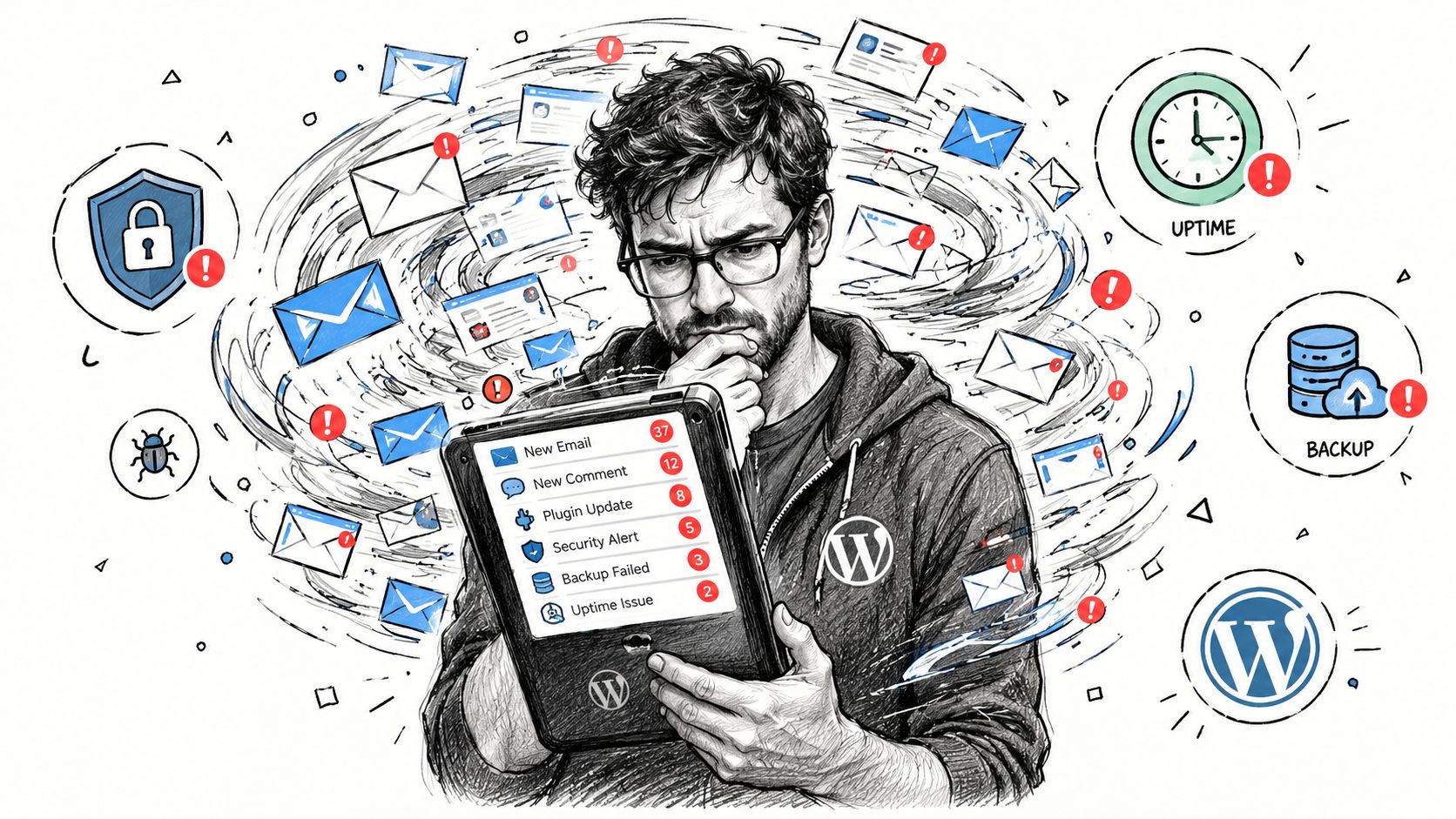
This is more than inbox clutter. It creates a workflow in which the operator must repeatedly interrupt focused work, interpret incomplete information, and decide whether an alert deserves escalation. After enough interruptions, people start scanning subject lines instead of investigating them. They postpone low-confidence findings, mute noisy channels, or rely on memory to decide what can wait.
The analogy to clinical monitoring is useful because it shifts the diagnosis away from individual discipline. A WordPress professional who overlooks an alert isn't automatically careless. The alerting system may be presenting too many messages without enough context, severity, asset value, or recommended action.
Why portfolio scale changes the problem
One site can often be handled through a familiar maintenance checklist. A portfolio creates comparison problems. An outdated plugin on a brochure site may need a different response from the same finding on a checkout-dependent store. A short uptime fluctuation may be harmless on one host but a sign of recurring instability on another.
The answer isn't to turn off monitoring. Uptime checks, backups, vulnerability detection, and performance measurements each serve a purpose. Teams need better ways to separate actionable signal from routine status information, and resources on noise reduction tools for ops can help frame that broader operations challenge.
Start by reviewing what your uptime monitor reports, rather than treating every notification as an incident. A practical reference on WordPress uptime monitoring can help teams distinguish useful availability checks from alert behavior that creates unnecessary interruptions.
What Is Alarm Fatigue Exactly
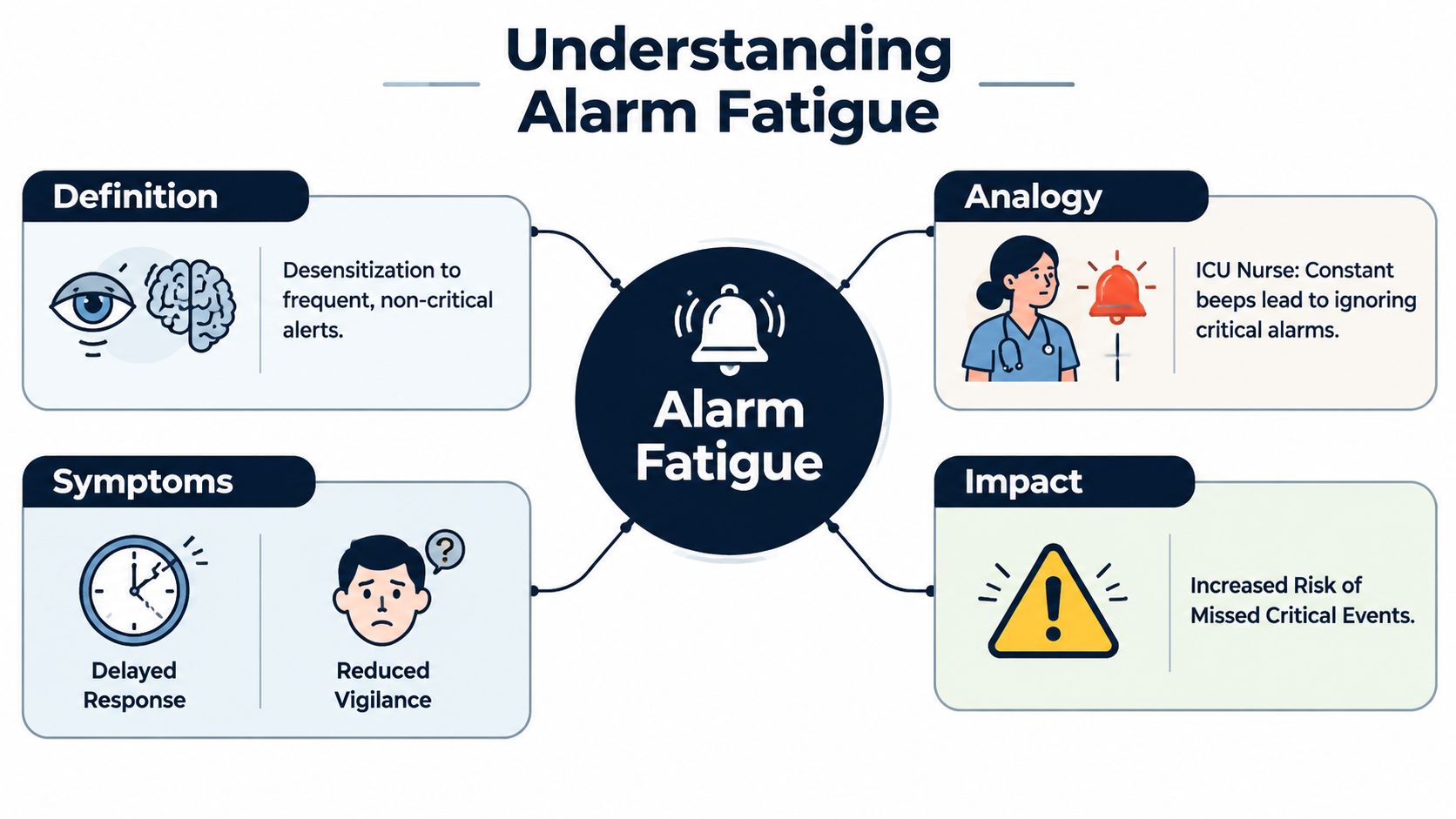
Alarm fatigue is desensitization caused by frequent alarms that are often false or non-actionable. The person receiving the alerts experiences changes beyond fatigue. Their attention changes. Repeated low-value signals weaken the expectation that the next notification will require immediate action, so response becomes slower, less consistent, or dependent on escalation from someone else.
An ICU nurse provides the classic analogy. Monitors beep for many reasons, including transient readings, sensor problems, threshold crossings that don't require intervention, and clinically important deterioration. If the system produces a constant stream of alerts without enough context, the nurse has to spend attention sorting noise from danger. The burden comes from the system's design, not from a lack of concern for patients.
The practical lesson: An alert only earns urgent treatment when it communicates a clear condition, affects a meaningful asset, and tells someone what decision to make.
The clinical evidence shows why this matters. In a major observational study summarized by AHRQ's patient-safety review of alarm fatigue, 77 ICU beds generated 381,560 audible monitor alarms over 31 days, an average of 187 audible alarms per bed per day. The same analysis recorded 12,671 annotated arrhythmia alarms, 88.8% of which were false. Those figures describe a monitoring environment where the volume of alerts can overwhelm the capacity to evaluate each one carefully.
The risk isn't limited to annoyance. A PubMed-indexed review of alarm fatigue and clinical alarm management notes that alarm-related patient deaths became a national safety concern, with the FDA reporting more than 500 deaths over five years and another summary citing 566 deaths between 2005 and 2008. The Joint Commission responded by making clinical alarm management a National Patient Safety Goal.
The WordPress parallel is straightforward. When a team receives a high volume of notifications that don't require action, the team starts treating alert handling as background administration. That mental shortcut can delay attention to a compromised site, a failed backup, or a service outage that affects customers.
Translating Alarm Fatigue to WordPress Management
WordPress operations rarely suffer because monitoring is absent. They suffer because monitoring reports events without enough operational meaning. A plugin update notification, a low-severity vulnerability notice, an uptime flicker, a verbose scan entry, and a successful backup email may all arrive in the same queue, even though they carry very different consequences.
A useful starting point is to classify alerts by the decision they require.
| Potential noise | Potential signal |
|---|---|
| A routine plugin update with no known exposure | A known vulnerability affecting an installed plugin |
| A single transient availability check | Repeated downtime or an outage on a revenue-critical site |
| A completed backup notification | A failed backup or an unverified recovery path |
| A low-impact performance variation | A sustained problem affecting conversion or key workflows |
| Informational scanner output | Evidence of active compromise or an unexpected configuration change |
This table isn't a universal policy. Context changes the answer. A routine update can become urgent when the extension is abandoned or exposed to a known vulnerability, while a performance warning may deserve attention when it affects checkout, login, or publishing.
Actionability matters more than volume
A 2022 systematic review of IT-based approaches to clinical alarm fatigue emphasizes that the central problem isn't solely the number of alarms. It is the prevalence of clinically non-actionable alarms. The same reasoning applies to WordPress: reducing notification count without improving signal quality can hide useful information while leaving the underlying decision problem intact.
For each alert type, ask four questions:
- What changed? Identify the exact site, component, version, or service condition.
- Why does it matter? Connect the finding to exposure, availability, revenue, compliance, or client impact.
- Who should act? Route the message to the person with the authority and skills to resolve it.
- What happens next? Include a clear action, such as patching, validating a backup, investigating logs, or escalating an outage.
If an alert can't answer those questions, it may belong in a report rather than an interruptive channel. That doesn't make the information useless. It means the system should preserve it for review without demanding immediate attention.
Avoid the false choice between silence and overload
Blanket suppression is as risky as forwarding everything. Muting an entire scanner because it produces repetitive findings can remove visibility into a serious change. Forwarding every finding to a shared inbox guarantees that urgent work competes with status messages.
The better approach is to improve thresholds, add asset context, group duplicates, and notify people only when a material condition changes. The goal is not fewer alerts as an isolated metric. The goal is a queue where the next item is more likely to deserve the operator's time.
The Operational Impact of WordPress Alarm Fatigue
Alarm fatigue creates a chain of operational failures. A team sees repeated low-value warnings, delays reviewing them, and begins to trust its own filtering habits more than the monitoring system. A genuine issue then arrives inside the same stream, but nobody can immediately distinguish it from the routine noise.
Consider an agency responsible for several client sites. Its security tool sends frequent findings, its uptime service reports intermittent checks, and its backup provider confirms successful jobs. A serious vulnerability appears on a store that depends on a particular plugin. The agency doesn't need to ignore security deliberately for the response to fail. A crowded queue, unclear ownership, and no ranked action order can keep the finding below the team's attention threshold.
The consequences spread beyond one ticket.
- Security exposure: A critical vulnerability can remain unresolved because staff spend their first available hour sorting routine findings.
- Slower incident response: A real outage competes with transient checks and informational messages.
- Poor resource allocation: Senior operators may spend time validating low-risk alerts while higher-impact work waits.
- Client dissatisfaction: Clients experience delayed answers even when the agency has monitoring in place.
- Team exhaustion: Repeated context switching makes maintenance feel reactive and unfinishable.
A 2016 systematic review of physiologic monitor alarms found that two studies observed longer nurse response times as alarm exposure increased. That evidence supports a clear operational pathway: excessive alert volume increases cognitive load, and higher cognitive load can slow responses to meaningful events. The WordPress environment differs from an ICU, but the attention problem is comparable.
The cost of treating every finding as urgent
When every notification receives the same priority, the team loses the ability to schedule work intelligently. An update may be safe to test during a maintenance window, while an actively relevant vulnerability or site-wide outage may require immediate intervention. A flat inbox doesn't express that distinction.
This is why teams should document urgency rules before an incident occurs. Define which events interrupt current work, which enter a same-day queue, and which belong in a weekly review. A focused guide to deciding which WordPress CVE findings to fix first can support that conversation, especially when multiple sites have different business roles.
Operational rule: If your team can't explain why an alert outranks another alert, the monitoring system isn't providing enough prioritization.
From Reactive Alerts to Proactive Triage
The first improvement is usually simple. Review notification settings and stop sending routine confirmations into the same channel as incidents. Route successful backup messages to a report, group duplicate uptime events, and reserve immediate notifications for failures or meaningful changes.
Email filters can provide short-term relief. Create folders for informational reports, maintenance work, security findings, and incidents. Use consistent subject lines and site identifiers so a human can scan the queue without opening every message. These changes won't solve a portfolio-wide prioritization problem, but they can reduce unnecessary interruption while a stronger process takes shape.
Build a triage workflow
A durable workflow answers the same questions for every site:
- Collect the evidence. Gather core, plugin, theme, PHP, uptime, backup, and security findings in a shared operational view.
- Normalize the findings. Combine duplicate reports so one underlying issue doesn't appear as several urgent tasks.
- Assess risk. Consider severity, exploitability, software age, site importance, and whether the finding affects a customer-facing function.
- Rank the work. Produce a short sequence of the most impactful fixes rather than an undifferentiated list.
- Assign ownership. Give each item a responsible operator and a defined next action.
- Review the outcome. Record whether the alert was actionable, misclassified, duplicated, or missing context.
Risk scoring helps turn scattered observations into a repeatable decision. It doesn't replace technical judgment. It gives the team a common language for comparing a vulnerable plugin on one site with an outdated component on another.
Improve the signal before adding more automation
Automation can reduce repetitive handling, but it won't rescue poor alert logic by itself. If a system automatically forwards every low-value event, it moves the noise faster. Stronger automation filters at the source, enriches findings with site context, and escalates only when the condition crosses a meaningful threshold.
That principle aligns with the wider security practice of reducing risk with shift-left security, where teams try to identify and address issues earlier in the delivery and maintenance process. For WordPress operators, the equivalent is finding outdated software, known vulnerabilities, and configuration drift before they become urgent incidents.
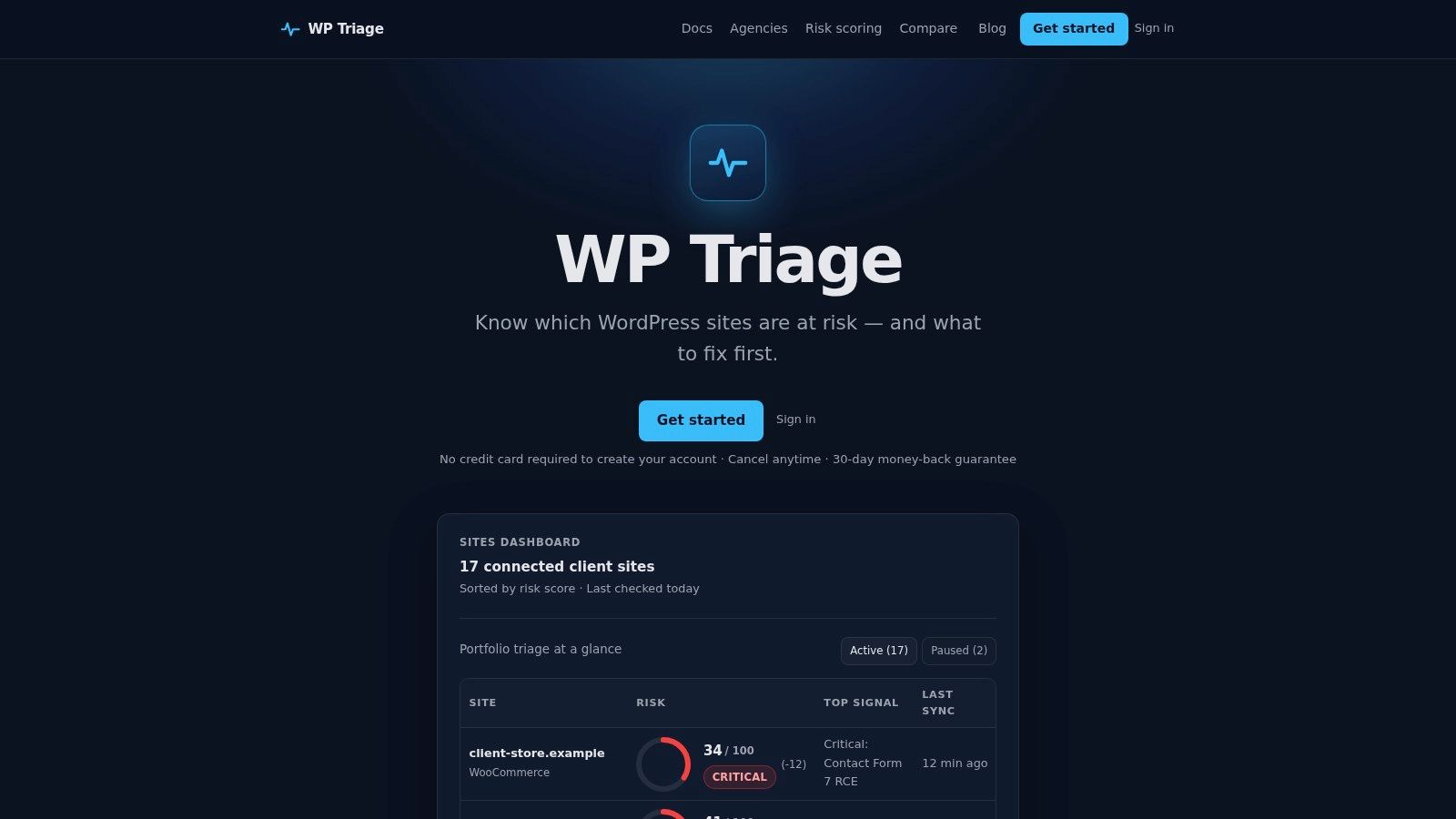
A practical triage dashboard should show the portfolio first, not force the operator to inspect sites one at a time. It should make risk movement visible, identify the strongest signals, and provide a clear fix sequence. Daily snapshots and concise periodic summaries can support this model, while targeted notifications reserve interruptions for critical findings or substantial changes.
The trade-off is important. A triage system requires deliberate setup, consistent labels, and an agreed risk model. In return, it reduces the cognitive cost of deciding where to start. It also makes handoffs easier because another operator can understand the reasoning behind the queue instead of reconstructing it from scattered emails.
Taking Control of Your WordPress Portfolio
Alarm fatigue is a systems problem. In healthcare, repeated non-actionable alarms can desensitize clinicians and delay responses. In WordPress operations, repeated low-value notifications can produce the same pattern: operators lose confidence in the queue, urgent work competes with routine status, and maintenance becomes a series of interruptions rather than a managed discipline.
The answer isn't to monitor less. It is to make monitoring more selective and more useful. Separate reports from incidents, add business context, group duplicates, define ownership, and rank work by impact. A portfolio needs a decision process that tells the team what matters most today, not another stream of unfiltered observations.
A calmer operating model
The strongest teams treat alerts as inputs to triage, not instructions to panic. They review noisy sources, improve thresholds, and keep a feedback loop that records which findings helped and which created distraction. For larger operational improvements, examples of Internal Systems' operational efficiency projects offer useful context on how structured systems can support portfolio work.
A risk score can make that structure easier to maintain, provided the team understands what the score represents and what it doesn't. Use this guide to WordPress risk scoring to establish a shared vocabulary for comparing exposure and deciding the next action.
Audit your alerts this week. Identify which notifications interrupt people, which belong in reports, and which lack enough context to support a decision, then build a triage queue around the fixes with the greatest potential impact.
WP Triage helps WordPress operators turn portfolio-wide maintenance and security findings into ranked, actionable work instead of another noisy alert stream. Visit WP Triage to see how a risk-scored portfolio view can help your team focus on the next most important fix.