You're managing a portfolio of WordPress sites, and the spam problem isn't uniform. A blog may be buried under comment junk, while a client's registration page attracts fake accounts, a WooCommerce store receives suspicious reviews, and a lead-generation site gets flooded through contact forms. Installing the most popular plugin everywhere can leave the most valuable abuse surface underprotected.
This comparison evaluates anti spam plugins for WordPress by the work they perform. The focus is practical: which entry points each tool covers, how much friction it creates for legitimate visitors, whether it depends on an external service, how well it fits a multisite portfolio, and what maintenance it demands. You'll find cloud filters, honeypots, rule-driven tools, and CAPTCHA integrations, with clear limits rather than a feature dump.
Anti-spam protection also sits below broader WordPress maintenance. It won't replace core, plugin, theme, and PHP updates, vulnerability review, or sensible access controls. If an abusive IP needs blocking outside WordPress, this guide on how to block an IP on Linux is relevant, while WP Triage helps agencies rank wider maintenance and security risks across multiple sites.
Table of Contents
- 1. Akismet Anti-Spam by Automattic
- 2. CleanTalk Anti-Spam
- 3. OOPSpam Anti-Spam No-CAPTCHA
- 4. Antispam Bee by pluginkollektiv
- 5. WP Armour Honeypot Anti-Spam
- 6. Maspik Multi-Layer Spam Protection
- 7. hCaptcha for WordPress
- 8. Google reCAPTCHA by BestWebSoft
- 9. WPBruiser Goodbye Captcha
- 10. Dam Spam Successor to Stop Spammers
- Top 10 WordPress Anti‑Spam Plugins Comparison
- Build a Layered Anti-Spam Maintenance Routine
1. Akismet Anti-Spam by Automattic
Akismet remains the default choice when comments and product reviews are the main abuse surface. Automattic launched it in late 2005, and Akismet's own milestone reported that the service had stopped 500,000,000,000 pieces of comment and trackback spam by April 2023. That history matters because the tool has been exposed to a long-running stream of real submissions rather than a narrow, static rule set. You can review blocked-spam totals and related activity inside the WordPress dashboard, which turns moderation from guesswork into an observable workflow. (Akismet's WordPress product page)
The plugin sends submission signals to a cloud service for scoring. That makes it a strong fit for editorial sites, communities, and WooCommerce stores where comment or review quality matters, especially if Jetpack is already part of the stack. It also connects with form tools, but registration abuse is not its strongest use case.
Where Akismet earns its place
Akismet's main operational advantage is low-touch filtering. It can quarantine suspicious comments and reviews without asking visitors to solve a puzzle, and its broad ecosystem support reduces integration work on established WordPress sites. Commercial sites generally need a paid plan or a Jetpack bundle, so agencies should document that account and billing dependency before standardizing it across client installs.
Use the dashboard's spam totals during routine reviews. Akismet's own WordPress.com guidance continues to direct administrators to inspect blocked-spam totals in the dashboard, reinforcing that telemetry is part of the tool's value, not just an extra screen. (Install Akismet in WordPress)
2. CleanTalk Anti-Spam
CleanTalk is a good choice when one service must cover comments, registrations, contact forms, and WooCommerce submissions without putting a visible challenge in front of users. Its WordPress plugin uses external IP, email, and behavior databases, and its SpamFireWall can reject known automated traffic before the request reaches normal PHP processing. That early filtering is useful on sites where repeated bot requests consume server resources or fill application logs.
The service also reaches beyond classic comment spam. It can address fake registrations, contact-form abuse, WooCommerce orders, and reviews from one administrative interface. For agencies, the appeal is operational consistency. A shared service model and multi-site options can be easier to manage than separate rules on every client installation.
The trade-off is dependency
CleanTalk's silent user experience is its clearest advantage. Visitors don't have to identify objects, check boxes, or answer questions, which makes it a sensible first candidate for lead forms, login flows, and checkout-adjacent journeys. The cost is dependence on API connectivity and the provider's decision service. Connectivity issues can appear in logs, so a support process should include checking API status before treating blocked submissions as a WordPress bug.
Operational rule: Keep a documented fallback for every cloud-dependent filter. If the API becomes unreachable, you need to know whether submissions fail open, fail closed, or require temporary protection elsewhere.
Install it on staging first, then test comments, registration, every form integration, and the WooCommerce paths that matter. On a portfolio, record the API relationship, renewal details, and expected log locations so another operator can troubleshoot without reverse-engineering the setup.
3. OOPSpam Anti-Spam No-CAPTCHA
OOPSpam suits operators who need multi-surface coverage with granular controls and a privacy-conscious alternative to visible CAPTCHA challenges. Its WordPress integration applies machine-learning and multi-signal scoring to comments, forms, registrations, and WooCommerce activity. Country and language controls, domain reputation monitoring, and commerce-oriented protections make it more flexible than a comment-only filter.
Its licensing model is particularly relevant to agencies. A single API key can support unlimited sites, with usage governed by monthly API checks rather than a simple per-site count. That structure lets a portfolio team standardize deployment without creating a separate account for every domain. It also supports workflow integrations such as Zapier, Make, and custom API processes, which can help teams route suspicious events into existing operations.
Stronger fit for commerce portfolios
OOPSpam is worth prioritizing when spam overlaps with account abuse, suspicious form submissions, or WooCommerce fraud patterns. The detailed controls give an administrator more room to distinguish a problematic country, language, email domain, or behavior pattern from a blanket block. That flexibility can reduce the temptation to add several narrowly focused plugins.
The limitation is administrative and financial. A SaaS subscription and external API quota become part of the operating model, and advanced configuration takes longer than installing a basic honeypot. Teams should monitor usage, note what happens when quotas are approached, and test the checkout and registration flows after every major plugin or theme change.
Use conservative settings first. Review false positives from real customers, then tighten rules based on observed abuse instead of blocking broad regions or languages because they're convenient filters.
4. Antispam Bee by pluginkollektiv
Antispam Bee is the practical pick for a privacy-sensitive blog or editorial site that relies on native WordPress comments. It's free, lightweight, and designed to work without external connections by default. That architecture avoids sending comment data to a third-party scoring service, which can simplify privacy discussions for sites that don't want another cloud dependency.
The plugin offers configurable rules for countries, languages, regular expressions, and honeypot signals. It also provides spam statistics and can purge older spam entries, giving administrators a way to control database clutter as well as the visible moderation queue. Its transparent development process and public changelog make maintenance easier to audit than a tool that offers little visibility into release activity.
Keep its boundary clear
Antispam Bee is focused. It's well suited to classic comment spam, but it isn't a complete control for registration flows, complex contact forms, or WooCommerce abuse. Installing it on a store and assuming every high-value submission is protected would create a coverage gap.
For a blog, its rule-driven approach can be enough without CAPTCHA friction. For a portfolio, standardize the baseline settings, then record exceptions for sites with multilingual audiences or legitimate international commenting. An administrator who wants to preserve trusted traffic can also use an IP whitelist in WordPress, but exceptions should be narrow and reviewed periodically.
Don't confuse local filtering with adaptive cloud reputation. Antispam Bee avoids that external dependency, which is a strength for privacy and simplicity, but it also means the site owner carries more responsibility for rule quality and update discipline.
5. WP Armour Honeypot Anti-Spam
WP Armour is a strong first layer for form-heavy sites where user friction is unacceptable. It inserts invisible fields and tokens that ordinary visitors won't see, while many automated bots expose themselves by filling those fields. The plugin is designed to work across multiple form builders, so agencies can deploy it without building a separate CAPTCHA workflow for every form plugin.
That makes the tool attractive for lead-generation sites, support forms, newsletter signups, and other conversion-sensitive journeys. There's no puzzle, checkbox, or visible challenge, and the lightweight approach is simple to roll out across a portfolio. A site owner can often start with the honeypot layer before introducing an external scoring service.
A honeypot is not a complete policy
Honeypots catch obvious automation, not every spammer. Bots can avoid fields that look hidden, and human-assisted or AI-assisted submissions can behave more like genuine visitors. That's why WP Armour works best as a low-friction filter in front of another layer when the form has commercial value.
Use it as a gate, not a verdict. A honeypot can remove easy automated noise, but it shouldn't be your only control for account creation, payment-related forms, or abuse that keeps adapting.
Maintenance is relatively light. Test each supported form after updates, check that the hidden field remains invisible and functional, and watch whether spam volume changes. If obvious spam continues, add a cloud reputation filter or targeted rules instead of immediately adding a CAPTCHA to every page.
6. Maspik Multi-Layer Spam Protection
Maspik is for administrators who need to see why a submission was blocked and tune protection around a recurring pattern. It combines honeypots, keyword and URL rules, and behavior checks across WordPress core forms, comments, popular form builders, and WooCommerce. Its central dashboard records submission details and rule hits, which gives an operator evidence for changing a rule rather than relying on intuition.
That visibility is useful on client sites with unusual spam. A generic cloud filter may identify a message as suspicious, but Maspik can help an administrator isolate a repeated URL pattern, keyword cluster, or behavior signal and apply a narrow response. The same logs can support portfolio standards, especially when an agency sees similar abuse across several sites.
Configuration creates an obligation
Maspik's flexibility comes with ongoing work. It isn't a pure set-and-forget SaaS filter. Someone must review logs, distinguish legitimate submissions from junk, and remove rules that have become too broad or outdated. A rule that blocks one abusive campaign can later catch a genuine customer, partner, or product name.
Use the free core plugin for straightforward cases, then consider advanced features when the site needs more detailed control. Keep a change record for important rules, including the problem they address and the forms they affect. This prevents future administrators from deleting a useful rule or leaving behind an exception nobody understands.
Maspik is a good fit when admin control matters more than zero-touch operation. It's less suitable for a small blog whose owner won't review logs, but it can be valuable for agencies that already have a maintenance process and need explainable decisions.
7. hCaptcha for WordPress
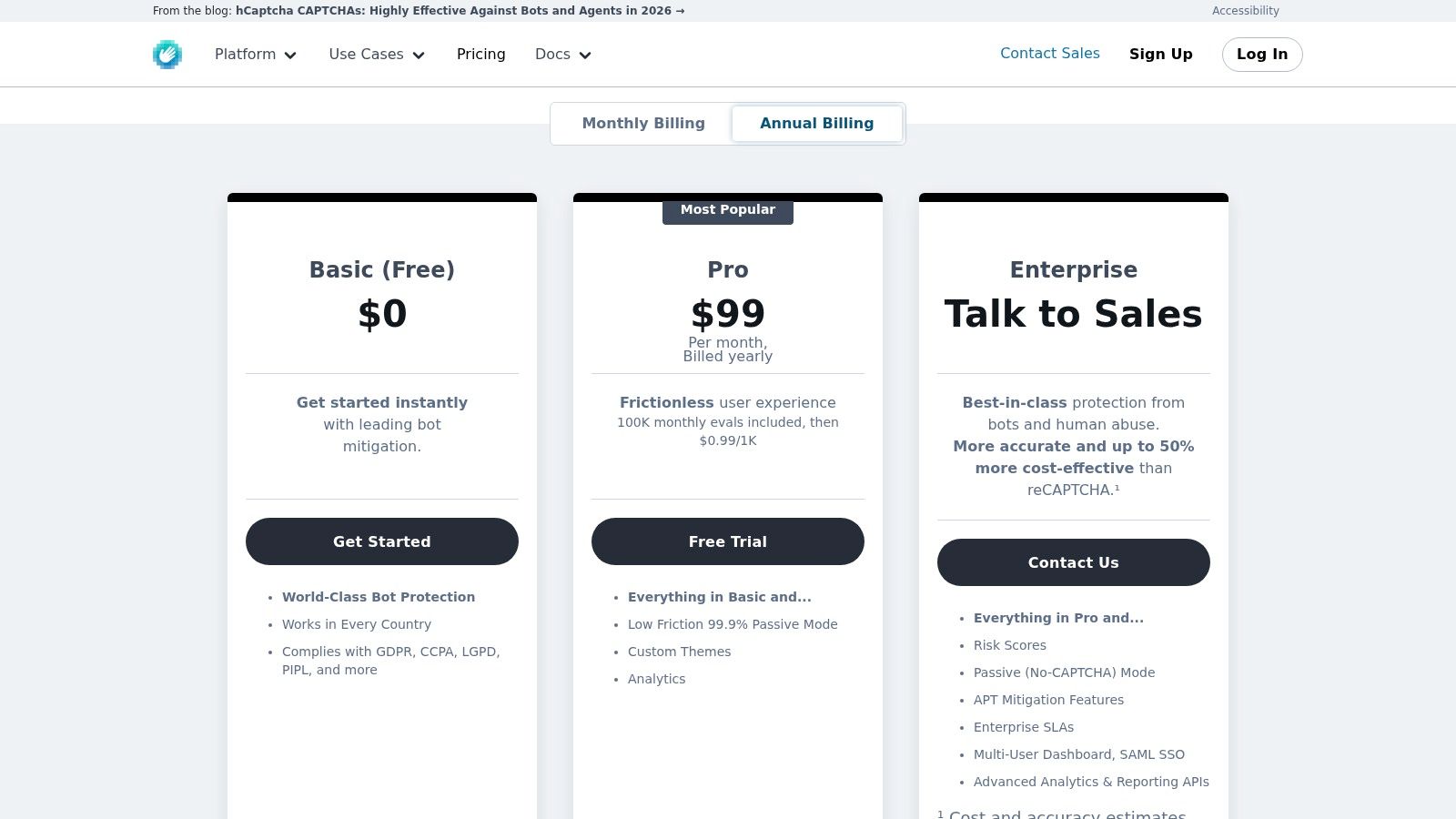
The official hCaptcha integration is a sensible choice when a site needs challenge-based protection without defaulting to Google services. It supports multiple WordPress integration points and offers challenge and passive modes, with broader administrative features and lower-friction options available on paid tiers. The plugin can protect login, registration, comment, and form surfaces where a passive filter or honeypot hasn't stopped abuse.
Privacy is the main reason to consider it. Organizations operating under strict privacy expectations may prefer to evaluate hCaptcha rather than automatically embedding Google reCAPTCHA across every form. That decision still requires a review of the service's data handling, consent position, and regional requirements. A privacy-oriented label isn't a substitute for the site's own compliance assessment.
Challenge friction is still friction
hCaptcha can ask legitimate visitors to complete a challenge. That may be acceptable on a registration or login endpoint under attack, but it's a poor default for a high-conversion contact or checkout journey if a no-CAPTCHA layer would handle the abuse. Passive modes can reduce interruptions, but advanced options introduce recurring service costs.
Set it only on the surfaces that need it. Test keyboard navigation, mobile behavior, localization, failed challenges, and form error handling. On multisite portfolios, document keys and domain mappings per site, then include hCaptcha configuration in staging checks so a redesign doesn't remove the widget or break submission validation.
8. Google reCAPTCHA by BestWebSoft
Google reCAPTCHA by BestWebSoft is useful when an implementation team wants one familiar CAPTCHA integration across many WordPress surfaces. It supports reCAPTCHA v2, v3, and Invisible modes, with integrations for logins, registrations, comments, WooCommerce checkpoints, and major form builders such as Contact Form 7, WPForms, Gravity Forms, and Elementor. Network and multisite configuration options make it easier to manage from a centralized WordPress installation.
The choice is straightforward when a client already accepts Google services and wants broad compatibility. The plugin can also be practical for teams that need a visible challenge on a targeted endpoint rather than a separate custom integration.
Don't hide the conversion trade-off
CAPTCHA adds friction by design. Version and mode affect how visible that friction is, but a challenge can still interrupt legitimate users, particularly on mobile devices, unusual browsers, or accessibility tools. For that reason, use it selectively on the abuse surface that justifies the interruption. A contact form with mild bot noise may be better served by a honeypot or cloud filter, while a repeatedly attacked registration endpoint may warrant stronger verification.
Google service usage also creates a privacy and dependency consideration. Review the client's requirements before deploying it, and document the site keys, account ownership, and expected behavior if Google's service is unavailable. If form delivery breaks during testing, investigate both the CAPTCHA validation and WordPress mail configuration. The guide on WordPress not sending emails can help separate anti-spam validation failures from downstream mail problems.
9. WPBruiser Goodbye Captcha
WPBruiser takes a no-CAPTCHA approach and blocks suspected bots during submission for registrations, logins, comments, and forms. That makes it attractive for sites where visitor flow matters, especially account creation, customer login, and checkout-adjacent interactions. Instead of asking users to solve a challenge, it applies algorithmic checks at the point where the submission arrives.
The free core plugin provides a starting point, while extensions add support for particular form builders and WooCommerce workflows. This modular approach can work well when a site has a small number of integrations. You don't necessarily need a visible challenge everywhere, and prevention at submission time can keep junk from reaching later moderation or notification steps.
Extension coverage affects the real cost
WPBruiser's weakness is integration breadth when compared with a broad SaaS service. If a portfolio uses several form builders, membership plugins, and commerce extensions, the required add-ons can become the main administrative and licensing consideration. Agencies should inventory the actual submission paths before adopting it as a standard.
Test login lockouts, password resets, registration, comments, contact forms, and WooCommerce actions separately. A plugin that works on native WordPress comments may still need an extension for a third-party form. Keep the core and add-ons updated together, and review logs after deployment for blocked legitimate users. WPBruiser is a good fit for no-friction protection, but it requires more integration planning than its simple front-end experience suggests.
10. Dam Spam Successor to Stop Spammers
Dam Spam is a plugin-first option for sites that need more than a basic honeypot without committing to a SaaS backend. It uses layered checks for registrations, logins, comments, and form submissions, with optional third-party blocklist lookups. Its continuation from the Stop Spammers community gives existing users a migration path, while the admin interface lets operators enable and tune protections rather than accepting a single opaque mode.
The absence of a central SaaS backend can be an advantage for cost control, data handling, and service independence. It can also be a limitation. Cloud services continuously aggregate reputation signals and update their decision systems, while a local plugin depends more heavily on its own rules, updates, and the administrator's configuration.
Treat security plugins as maintenance assets
Dam Spam provides stronger coverage than a simple hidden-field check, but it still becomes part of the site's security inventory. Plugin vulnerabilities can require prompt updates, and any layered security tool should be tested after WordPress, theme, authentication, and form changes. Free availability doesn't remove the need for ownership, documentation, and review.
Use the admin UI to start with the abuse surface causing the most damage. Avoid enabling every aggressive control at once, because troubleshooting false positives becomes difficult when several independent checks reject the same request. For agencies, record the chosen settings and blocklist dependencies in the site runbook, then review whether the plugin remains actively maintained before renewing a portfolio standard.
Top 10 WordPress Anti‑Spam Plugins Comparison
| Plugin | Core / Unique ✨ | Target 👥 | Quality ★ | Pricing 💰 | Best for 🏆 |
|---|---|---|---|---|---|
| Akismet Anti‑spam (Automattic) | Cloud-trained comment & review filter; Jetpack integration ✨ | Blogs, sites using Jetpack; agencies wanting set‑and‑forget 👥 | ★★★★☆ | 💰 Free personal; paid for commercial/Jetpack | Reliable, low‑maintenance auto-filtering 🏆 |
| CleanTalk Anti‑Spam | SaaS real‑time checks + SpamFireWall (pre‑PHP) ✨ | Agencies & multi‑site stores seeking low friction 👥 | ★★★★☆ | 💰 Paid SaaS; 7‑day trial; multi‑site discounts | Low UX friction & performance boost 🏆 |
| OOPSpam Anti‑Spam | ML multi‑signal scoring; unlimited sites per API key ✨ | Agencies scaling portfolios; WooCommerce focus 👥 | ★★★★☆ | 💰 API usage–based paid plans | Scales well; strong commerce protections 🏆 |
| Antispam Bee (pluginkollektiv) | Privacy‑first; no external calls by default ✨ | Privacy‑minded blogs & editorial sites 👥 | ★★★★☆ | 💰 Free | GDPR‑friendly, lightweight comment filtering 🏆 |
| WP Armour – Honeypot Anti‑Spam | Site‑wide, form‑agnostic honeypot & tokens (invisible) ✨ | Sites wanting frictionless first‑layer protection 👥 | ★★★☆☆ | 💰 Free core / lightweight | Simple, zero‑friction bot blocking 🏆 |
| Maspik – Multi‑Layer Spam Protection | Rule‑driven layers, logs & tuning; form/commerce integrations ✨ | Sites needing granular control & admins 👥 | ★★★★☆ | 💰 Free core; PRO annual for advanced | Highly configurable with detailed logs 🏆 |
| hCaptcha for WP (official) | Privacy‑forward CAPTCHA; passive/low‑friction modes ✨ | Privacy/regulatory‑sensitive sites 👥 | ★★★☆☆ | 💰 Free tier; paid enterprise options | Google‑free CAPTCHA alternative 🏆 |
| Google reCAPTCHA (BestWebSoft) | Supports v2/v3/Invisible; broad form integrations ✨ | Multisite admins & sites using many form builders 👥 | ★★★☆☆ | 💰 Free (Google); plugin commercial license available | Wide compatibility across plugins & forms 🏆 |
| WPBruiser (Goodbye Captcha) | Algorithmic no‑CAPTCHA detection; extensions for builders ✨ | UX‑sensitive sites (checkouts/logins) 👥 | ★★★★☆ | 💰 Free core; paid extensions | No visible friction; smooth submission UX 🏆 |
| Dam Spam (Stop Spammers successor) | Layered checks with optional blocklist lookups ✨ | Admins preferring plugin (non‑SaaS) defenses 👥 | ★★★☆☆ | 💰 Free; community supported | Strong plugin‑based protection without SaaS 🏆 |
Build a Layered Anti-Spam Maintenance Routine
The right anti-spam plugin starts with the entry point being abused, not the plugin's position in a popularity list. If native comments and WooCommerce reviews are the problem, Akismet or Antispam Bee may be the sensible starting point. If registrations, contact forms, and store submissions are all affected, CleanTalk or OOPSpam offers broader cloud-based coverage. If you need a privacy-minded local approach, Antispam Bee, Maspik, or Dam Spam deserves closer evaluation. For low-friction forms, WP Armour or WPBruiser can remove obvious automation without interrupting visitors. CAPTCHA options such as hCaptcha and Google reCAPTCHA are better reserved for surfaces where stronger verification justifies the added interaction.
Start with one primary control and one clearly defined secondary layer. A honeypot can remove simple bot traffic before a reputation service evaluates harder cases. A local rule engine can handle a recurring URL or keyword pattern while a cloud service supplies broader signals. Stacking two overlapping CAPTCHA tools or multiple cloud filters without testing can create confusing failures, duplicate external calls, and false positives that nobody knows how to diagnose.
Test the complete user journey, not just the form editor preview. Submit comments, create accounts, use password recovery, complete every contact form, and run the WooCommerce checkout path in staging. Then verify that legitimate submissions arrive correctly, blocked entries are visible to administrators when they should be, notifications still send, and the plugin doesn't interfere with caching, AJAX, multilingual workflows, or logged-in users.
Review false positives before tightening rules. A blocked spam message is convenient, but a blocked customer inquiry, account, review, or order can carry a much higher business cost.
Document external-service dependencies in the site record. Include API keys or account ownership, data-processing considerations, quotas, renewal responsibility, expected outage behavior, and the person who reviews service logs. For a portfolio, use a standard deployment note so support staff can distinguish a provider outage from a WordPress configuration error.
Maintenance doesn't stop after activation. Review spam totals and rule hits, inspect missed submissions, and remove obsolete exceptions. Check plugin changelogs, test compatibility after major WordPress or form-builder updates, and keep backups before changing security settings. When a plugin has a known vulnerability or a suspicious release, prioritize the update as a security task rather than treating anti-spam as a disposable utility.
Anti-spam plugins also shouldn't be confused with broader vulnerability prioritization. They reduce unwanted submissions, but they don't tell an agency which site has the most urgent outdated plugin, exposed CVE, aging PHP version, or risky theme. WP Triage monitors core, plugins, themes, and PHP across connected installs, matches installed plugins against known vulnerabilities, and turns findings into a 0–100 risk score with a ranked sequence of the most impactful fixes. That portfolio view helps teams keep spam controls in proportion to the rest of their maintenance workload.
Choose the narrowest control that solves the current problem, test it against real user paths, and add another layer only when the evidence supports it. That approach keeps protection reliable without turning every form into a maze of challenges and external dependencies.
WP Triage gives agencies and WordPress teams a portfolio view of core, plugin, theme, and PHP risks, with daily snapshots, vulnerability detection, risk bands, and a ranked fix sequence for each site. Use it alongside your anti-spam routine to decide which maintenance issue deserves attention first, then visit WP Triage to see how it can organize your WordPress portfolio.